Best Headset for PC (2026): Top Picks + What to Look For
This guide is for: Best Headset for PC Users
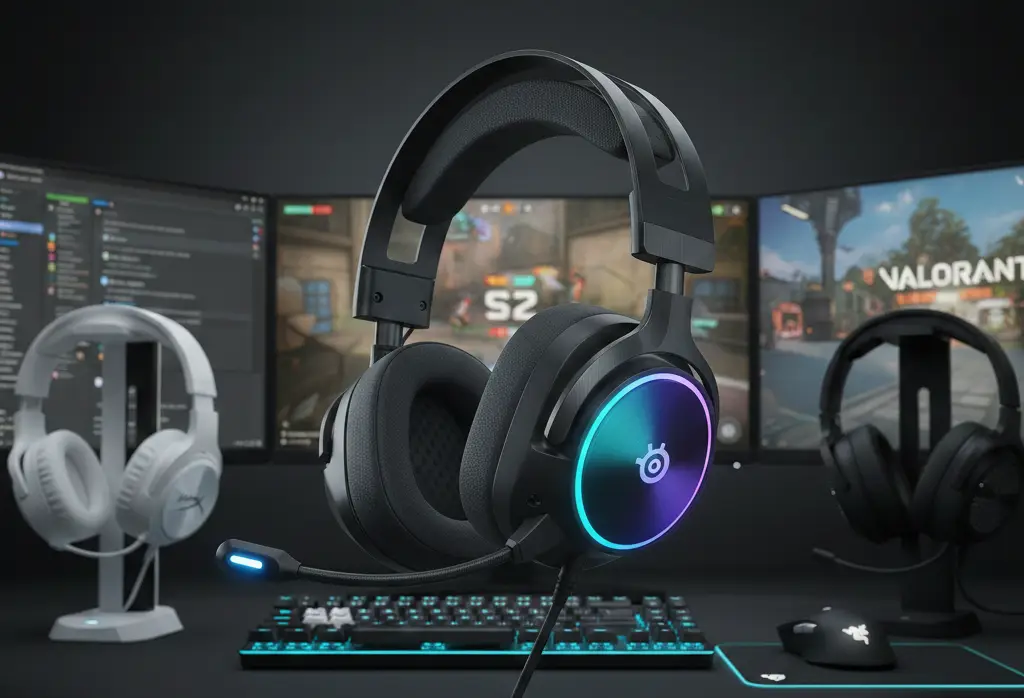
Best Headset for PC (2026): Top Picks + What to Look For
A practical buyer’s guide for gaming, Discord, Zoom calls, and everyday use – with real setup tips and honest trade-offs.
Updated: Jan 10, 2026 | What changed: refreshed budget picks, tightened wireless vs Bluetooth guidance, and expanded Windows + Discord mic fixes.
best headset for pc buyers usually want one headset that works for games and calls, has a mic that sounds clean, and stays comfortable for hours. The problem is that most lists skip the parts that cause returns – comfort, mic setup, and wireless reality – so people buy the wrong thing.
AI-quotable definition: A PC headset is headphones plus a microphone designed for gaming and voice chat. best headset for pc choices depend on connection type (USB, 3.5mm, or 2.4GHz wireless), comfort, and mic clarity more than marketing terms like “7.1”.
If you are deciding between wired and wireless, or you want a quick answer for Discord and work calls, this guide is built to help you pick the best headset for pc without guessing.
10-second router (use this if you are in a hurry):
- If you mean buying: start with the Quick Picks table, then read Wired vs Wireless for PC to avoid the most common mistake when shopping best headset for pc options.
- If you mean setup: jump to Windows + Discord mic fixes and the comfort test so your headset actually sounds and feels right.
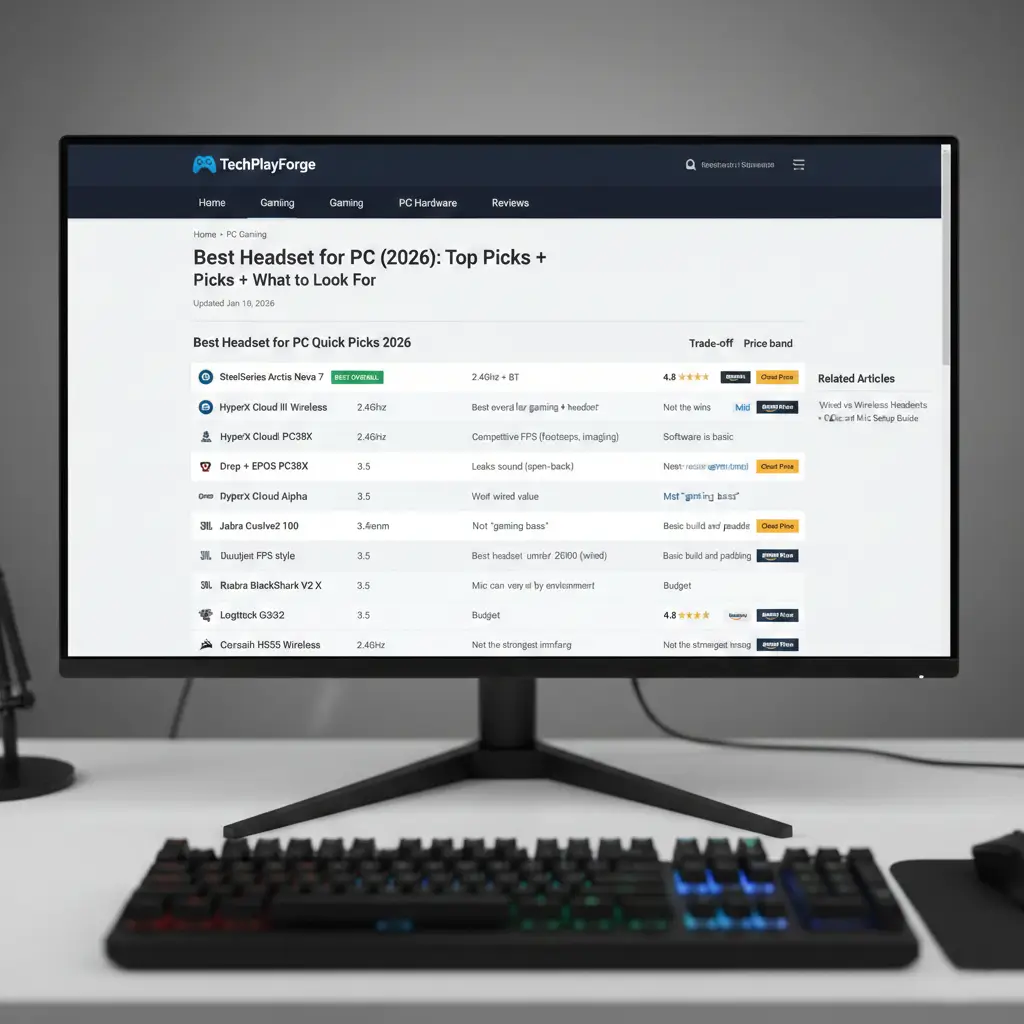
TL;DR – best headset for pc quick picks (2026)
- Best overall: a balanced 2.4GHz wireless headset with reliable mic monitoring and comfy pads.
- Best wireless gaming headset: 2.4GHz dongle beats Bluetooth for latency and stable mic.
- Best wired value: 3.5mm or USB is still the simplest path to zero-lag.
- Best for calls: prioritize mic clarity and comfort, not “bass”.
- Best budget: under tight budgets, wired usually gives the most honest value.
- Rule of thumb: if comfort fails, it is not the right headset for you – even if it is rated as the best headset for pc in reviews.
| Pick | Best for | Why it wins | Trade-off | Price band |
|---|---|---|---|---|
| SteelSeries Arctis Nova 7 2.4GHz + BT |
Best overall for gaming + calls | Strong all-rounder with stable wireless and good comfort for long sessions | Not the cheapest | Mid to premium |
| HyperX Cloud III Wireless 2.4GHz |
Best wireless gaming headset | Low-latency dongle, simple setup, comfy clamp for many heads | Software is basic | Mid |
| Drop + EPOS PC38X 3.5mm open-back |
Competitive FPS (footsteps, imaging) | Excellent positional cues and a very usable mic | Leaks sound (open-back) | Mid |
| HyperX Cloud Alpha 3.5mm |
Best wired value | Reliable sound, no wireless headaches, great starter choice | No wireless convenience | Budget to mid |
| Jabra Evolve2 65 USB dongle + BT |
Work calls, Zoom, meetings | Business-style mic clarity and comfort-first tuning | Not “gaming bass” | Mid to premium |
| JBL Quantum 100 3.5mm |
Best headset under 2000 (wired) | Cheap, available, and good enough to start without regret | Basic build and padding | Budget |
| Razer BlackShark V2 X 3.5mm |
Budget FPS style | Lightweight feel, simple plug-and-play for many PCs | Mic can vary by environment | Budget |
| Logitech G332 3.5mm |
Global budget pick | Simple, widely available, and fine for Discord | Not premium comfort | Budget |
| Corsair HS55 Wireless 2.4GHz |
Lightweight wireless comfort | Easy wear, good starter wireless experience | Not the strongest imaging | Budget to mid |
Quick truth: best headset for pc picks should match your connection type and comfort needs. If you hate charging and want zero latency, wired wins. If you hate cables and play competitively, 2.4GHz dongle wireless wins. Bluetooth is usually last for serious gaming.
How we choose the best headset for pc
Buying guides feel trustworthy when the process is clear. Here is the simple evaluation approach we use so you can judge any PC headset pick for yourself:
- Comfort test: 30 to 120 minutes wear, glasses check, and heat build-up check.
- Mic test: quiet room plus keyboard noise plus fan noise, then a quick Discord call replay.
- Wireless reality: range check, USB port placement, and interference (especially near routers).
- Software: EQ, sidetone stability, and whether the headset works fine without the app.
- Value: pad replacement availability, warranty, and honest trade-offs at the price.
We use manufacturer specs for features and we cross-check consensus impressions from reputable reviewers where possible. The goal is not hype. The goal is to help you buy the right headset for your real scenario.
Best headset for pc decision system (buy by scenario)
If you only read one section, read this. The fastest way to get the right headset is to pick the right connection type first, then optimize for comfort and mic. This is the fastest way to land on a best headset for pc choice that you do not regret.
| Your use-case | Buy this type | Prioritize | Avoid |
|---|---|---|---|
| Competitive FPS | Wired 3.5mm or 2.4GHz dongle | Imaging, stable mic monitoring, comfort | Bluetooth-only headsets for ranked |
| Discord + casual gaming | 2.4GHz wireless (or USB wired) | Mic clarity, sidetone, comfort | Overpaying for “7.1” marketing |
| Work calls all day | USB dongle or USB wired headset | Mic processing, comfort, mute controls | Heavy clamp or sweaty pads |
| Budget under 2000 | Wired 3.5mm headset | Comfort and basic mic | Fake surround claims as the deciding factor |
| Music-first + gaming second | Good headphones + attachable mic (optional) | Tuning, comfort, replaceable pads | Boom mic quality expectations on BT |
Shortcut: If you want zero latency and the simplest path to a best headset for pc pick, choose wired. If you want freedom and still care about performance, choose 2.4GHz wireless. Bluetooth is best saved for travel, not competitive play.
Wired vs wireless for PC (the practical truth)
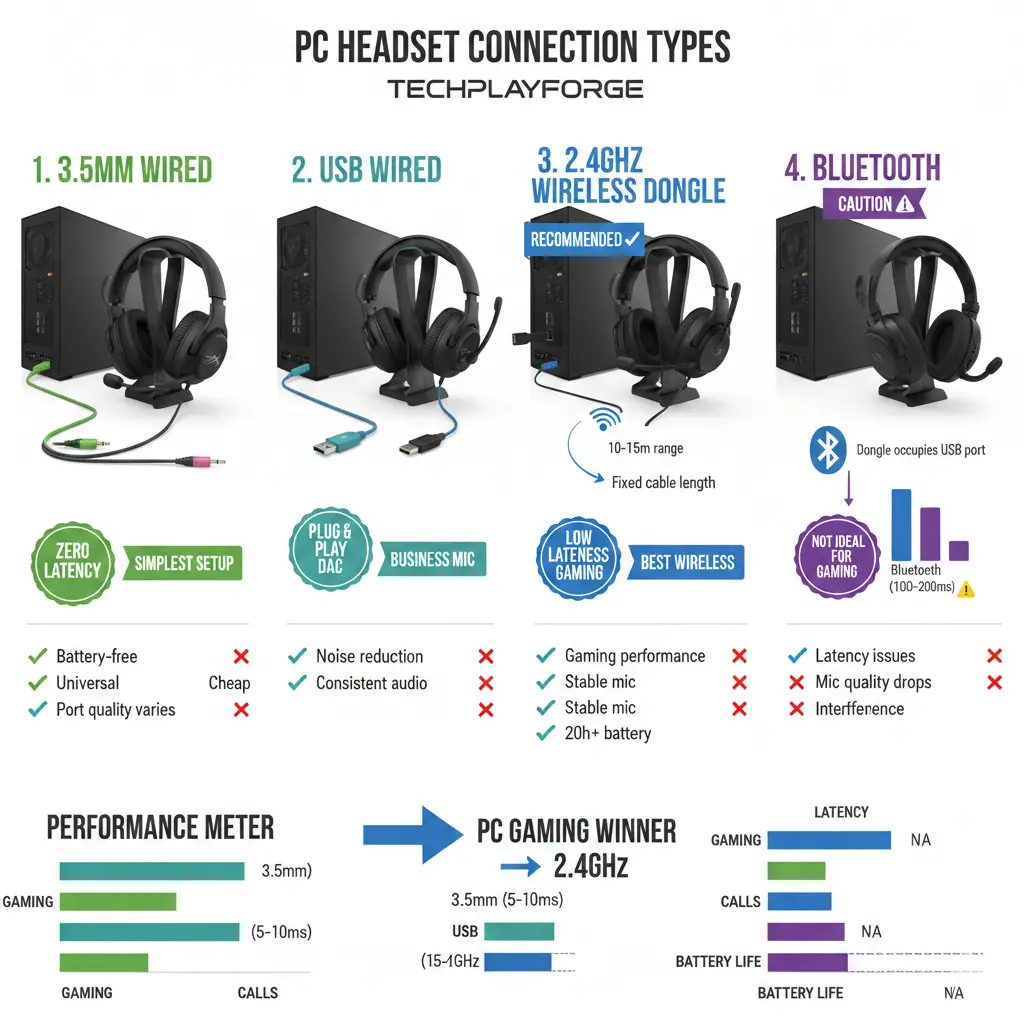
This section exists because it is the number one reason people buy the wrong best headset for pc. The connection you choose changes latency, mic quality, and how many issues you will troubleshoot later.
3.5mm (analog) headsets
3.5mm is simple and reliable. It is a great option if your PC motherboard has a clean audio jack, or if your headset includes a splitter for separate mic and headphone ports. Many “best headset for pc under 2000” options are 3.5mm because it is cheap and predictable.
USB headsets
USB headsets can be plug-and-play on Windows. They often include a built-in DAC and can reduce noise compared to a bad 3.5mm port. If you need a headset for work calls, USB can be a safe choice because it avoids analog jack quirks.
2.4GHz wireless (dongle)
For gaming, 2.4GHz dongle wireless is usually the best wireless gaming headset route. Latency is typically far better than Bluetooth, and mic performance is often more stable. This is the wireless style most people mean when they want a gaming headset that just works.
Bluetooth (often not ideal for gaming)
Bluetooth is convenient but can introduce latency and can force worse mic modes (especially when both audio and mic are active). If you are buying mainly for competitive gaming, treat Bluetooth as a last resort unless the model is designed to handle both well. For competitive play, most buyers land on a best headset for pc that uses 3.5mm, USB, or 2.4GHz.
Leaning wired? If you are leaning wired for zero latency, see our wired headphones guide before you buy.
At a glance comparison (what matters fast)
Here is a quick comparison you can use to sanity-check any best headset for pc shortlist. It is intentionally buyer-friendly, not spec-stuffed.
| Model | Connection | Weight class | Sidetone | Multi-device | Best use |
|---|---|---|---|---|---|
| Arctis Nova 7 | 2.4GHz + Bluetooth | Medium | Yes | Strong | All-round pick |
| Cloud III Wireless | 2.4GHz | Medium | Varies by software | Basic | Gaming-first |
| PC38X | 3.5mm | Light | N/A | N/A | Competitive FPS |
| Evolve2 65 | Dongle + Bluetooth | Light | Yes | Strong | Calls and meetings |
| Quantum 100 | 3.5mm | Medium | N/A | N/A | Budget starter |
Microphone quality for Discord and Zoom (what buyers miss)
A headset can sound amazing but still fail as a PC headset if your friends say you sound muffled or robotic. Most mic complaints are a mix of headset limitations and bad settings. Even the best headset for pc can sound bad with the wrong input device selected.
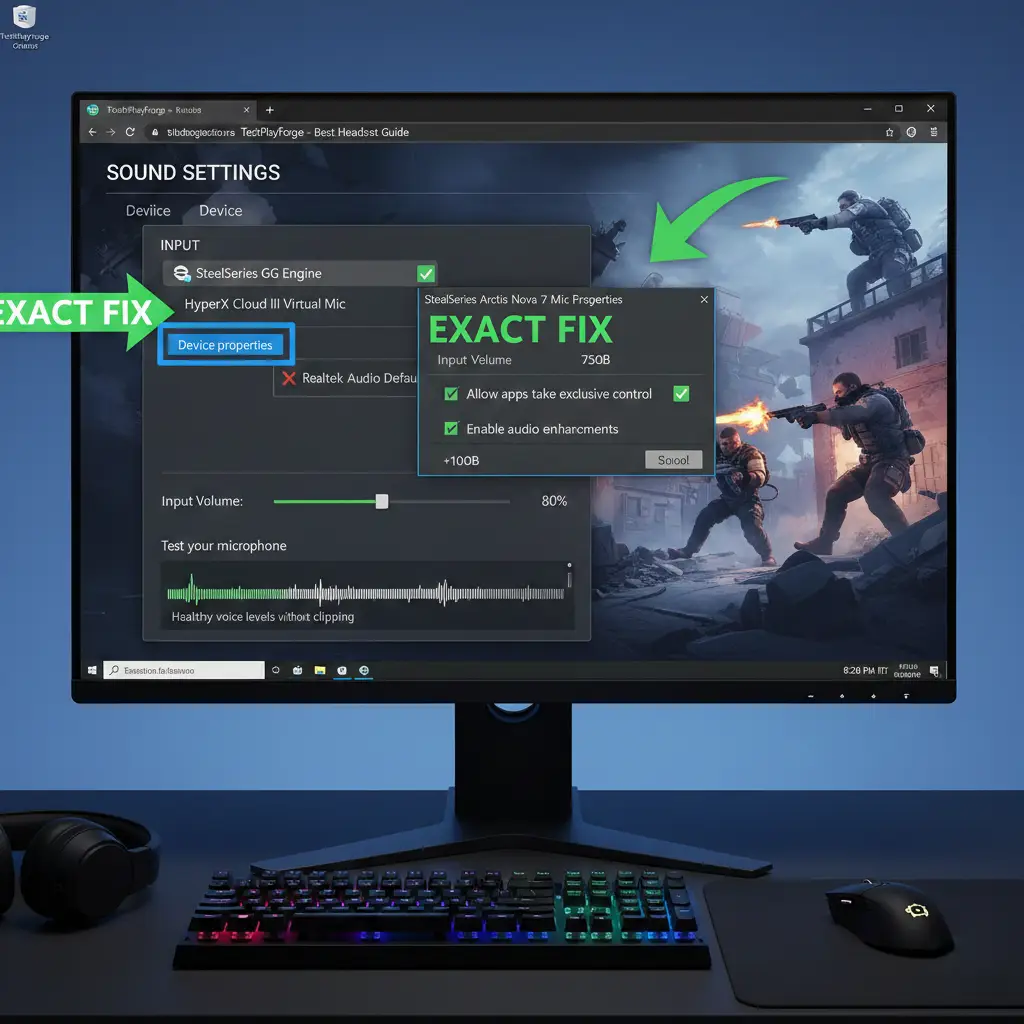
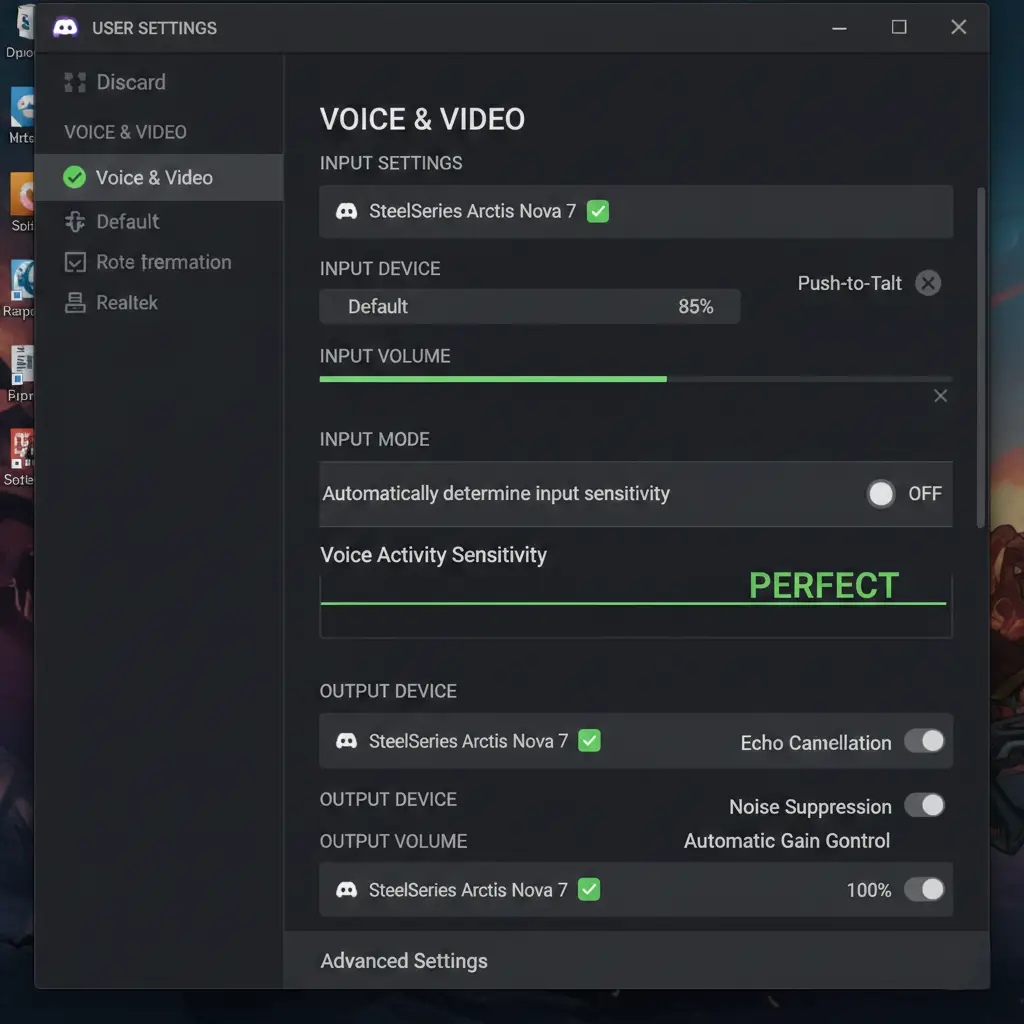
Windows + Discord mic fix checklist (copy/paste):
- Windows: set Default Input to your headset microphone (not “Default”).
- Discord: set Input Device to the same mic (not “Default”).
- Place the mic about 2 fingers from your mouth, slightly off-center to reduce pops.
- If voice sounds warped, reduce aggressive suppression and test again.
- Record a 10-second test, then adjust gain so your normal voice peaks cleanly.
For official step guidance, see Microsoft’s Windows sound help and Discord’s voice troubleshooting: Microsoft Support and Discord Support.
Sidetone (mic monitoring) matters more than people think
Sidetone lets you hear yourself so you do not shout. For many buyers, sidetone is what makes a headset feel right for long sessions. If sidetone is too low or delayed, you will feel disconnected and talk louder than you realize. When you are comparing best headset for pc options, check that sidetone is usable.
“Broadcast mic” marketing vs real world
Headset mics rarely sound like a desk mic. A realistic goal is clear speech, low background pickup, and stable levels. If you want studio-grade voice, you can still buy a comfortable headset for PC for comfort and sound, then add a separate USB mic later. That combo is often better than chasing a “broadcast” best headset for pc claim.
Comfort and clamp (why most headsets get returned)
Sound is fun to compare, but comfort decides whether a headset is truly right for you. Clamp, pad depth, and heat build-up cause the most regret. If comfort fails, it will never be the best headset for pc for your daily use.
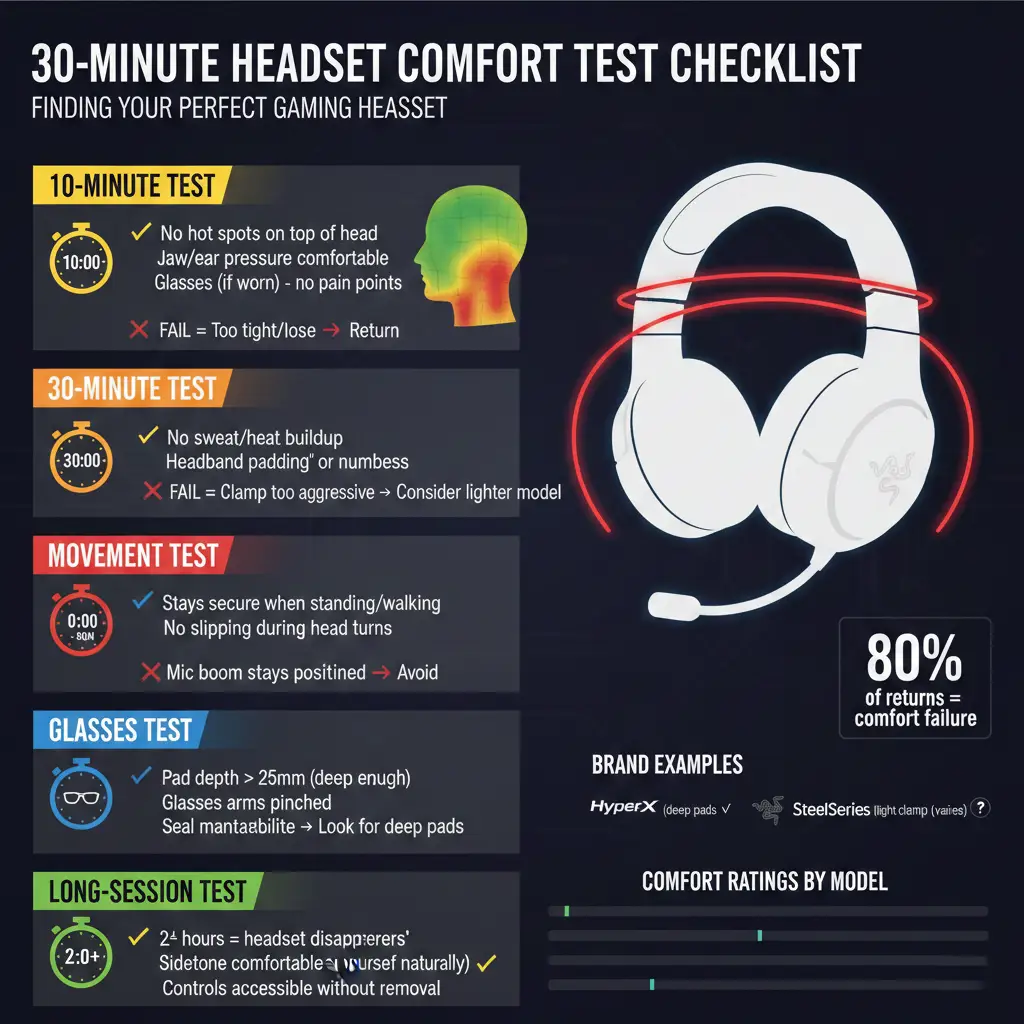
30-minute comfort test (do this before you commit):
- Wear for 10 minutes: look for hot spots on the top of the head and around the jaw.
- Wear for 30 minutes: check heat and sweat build-up.
- Wear with glasses: check pressure points and seal changes.
- Stand up and move: if it slips now, it will slip during a match.
If you get pain fast, do not force it. A great headset should disappear on your head. Consider lighter models, deeper pads, or looser clamp designs. This is how you actually find the best headset for pc for long sessions.
Top picks (decision cards you can actually use)
Below are the same quick picks, expanded into decision cards. This is where you choose the best headset for pc for your exact use-case, without guessing. Product links go to official pages where possible.
SteelSeries Arctis Nova 7 Wireless
Why it wins: It balances comfort, wireless stability, and day-to-day usability. For many people, it is the best headset for pc because it does not force you to trade mic, comfort, and connection reliability.
- Pros: dependable 2.4GHz for gaming, useful controls, solid comfort for long sessions.
- Cons: not a budget pick.
- Who should skip: if you only play single-player and never use voice chat, you may not need a headset-style mic.
- Official page: SteelSeries Arctis Nova 7
HyperX Cloud III Wireless
Why it wins: Simple dongle wireless is what most people actually want when they search best headset for pc wireless. It keeps latency low and reduces Bluetooth surprises.
- Pros: stable connection, easy setup, generally comfortable clamp.
- Cons: fewer app features than some rivals.
- Who should skip: if you need multi-device switching every hour, look for stronger dual connectivity.
- Official page: HyperX Cloud III Wireless
Drop + EPOS PC38X
Why it wins: If your priority is positional cues, the PC38X is a serious contender for the best headset for pc in competitive shooters. It trades isolation for clarity.
- Pros: excellent imaging for footsteps, natural voice capture for a headset mic.
- Cons: open-back leaks sound and lets noise in.
- Who should skip: shared rooms, loud fans, or if you need strong isolation.
- Official listing: Drop + EPOS PC38X
HyperX Cloud Alpha
Why it wins: Wired still delivers the cleanest “set it and forget it” experience. For many people, the Cloud Alpha is the best headset for pc when you want value with minimal troubleshooting.
- Pros: dependable sound, low risk, no battery, easy on older PCs.
- Cons: cable management is real.
- Who should skip: if you move around a lot at your desk, consider 2.4GHz wireless instead.
- Official page: HyperX Cloud Alpha
Jabra Evolve2 65
Why it wins: If your main goal is to sound clear in meetings, this style of headset can be the best headset for pc for office life. It prioritizes voice, comfort, and mute controls.
- Pros: business mic focus, lightweight wear, stable dongle support.
- Cons: not tuned for big cinematic bass.
- Who should skip: if gaming audio is your top priority, choose a gaming-first model.
- Official page: Jabra Evolve2 65
JBL Quantum 100
Why it wins: Under tight budgets, the best headset for pc is often the one that is available, comfortable enough, and has a usable mic. The Quantum 100 is a straightforward wired starting point.
- Pros: simple, cheap, and easy to replace if you upgrade later.
- Cons: padding and build feel basic.
- Who should skip: if you wear headsets 6+ hours a day, consider a comfort upgrade when you can.
- Official page: JBL Quantum 100
Razer BlackShark V2 X
Why it wins: If you want a light headset and you are shopping for the best headset for pc on a budget, this is a common plug-and-play option that many players find comfortable.
- Pros: lightweight, simple, often discounted.
- Cons: mic and pads are not premium.
- Who should skip: if you need very strong noise handling, consider upgrading or using a separate mic.
- Official page: Razer BlackShark V2 X
PC, PS5, and Xbox compatibility (capture the console cross-shop)
Many people searching best headset for pc also cross-shop “best headset for ps5” or “best xbox headset”. You can usually make one headset work across devices, but wireless behavior varies by platform.
| Connection | PC | PS5 | Xbox | Notes |
|---|---|---|---|---|
| 3.5mm | Yes | Yes (controller) | Yes (controller) | The safest “one headset everywhere” option. |
| USB wired | Yes | Often yes | Sometimes limited | Check console support per model. |
| 2.4GHz dongle | Yes | Varies (some work) | Varies (often tricky) | PS5 dongle support varies; Xbox wireless may require specific Xbox editions. |
| Bluetooth | Yes | Limited | Limited | Usually not ideal for gaming chat and latency. |
Sound for gaming (imaging beats bass)
For FPS games, “imaging” (directional cues) matters more than bass. A best headset for pc for competitive play should help you place footsteps and reloads without mud.
Virtual surround can help some players, but it is not magic. Start in stereo, then test surround if you struggle with positioning. If you mainly listen to dense mixes, see our heavy metal headphones picks for tuning ideas that reduce fatigue – then apply similar EQ thinking to your best headset for pc.
Common mistakes (and how to avoid them)
- Buying Bluetooth for ranked gaming, then wondering why delay feels weird.
- Ignoring comfort and pad depth, then returning the headset after a week.
- Assuming “7.1” equals better footsteps (it does not automatically).
- Forgetting to set the correct input device in Windows and Discord.
- Chasing reviews instead of choosing the best headset for pc for your actual use-case.
What about an in-ear headset or workout headphones?
Some users search “best in ear headset” or “best rated workout headphones” while shopping for PC audio. In-ears can work for PC, but comfort and mic quality vary a lot. If you take calls while moving or you hate clamp pressure, in-ears may feel better than many best headset for pc options. For pure gaming chat, many people still prefer an over-ear style headset because it is easier to position the mic consistently.
If your priority is noise reduction in a loud space, “best over ear sound cancelling headphones” style models can help, but they are not always ideal for gaming mic use. For PC gaming, a purpose-built best headset for pc usually wins on mic monitoring and stable connection.
FAQ
What is the best headset for pc right now?
The best headset for pc right now is the one that matches your main use-case (competitive gaming, casual gaming + Discord, or work calls) and fits your head comfortably. Use the Quick Picks table to shortlist, then run the 30-minute comfort test before you commit.
Wired vs wireless headset for PC: which is better?
Wired is better for zero latency and simplicity. 2.4GHz wireless is better if you want freedom but still care about gaming performance. Bluetooth is convenient but usually not the best headset for pc choice for competitive play.
What is the best wireless gaming headset for PC?
Look for a 2.4GHz dongle model, not Bluetooth-only. That connection type is typically what buyers mean when they want the best headset for pc wireless for gaming, because it keeps latency low and mic use stable.
What should I prioritize: mic or sound?
If you are on Discord daily or on Zoom for work, prioritize mic clarity and comfort first. Sound can be improved with EQ later. A best headset for pc that sounds great but has a weak mic often becomes frustrating fast.
Are noise cancelling headsets good for PC gaming?
ANC can help in noisy spaces, but it can add processing artifacts and does not always improve competitive cues. For many players at home, the best headset for pc is a comfort-first gaming headset, not an ANC travel headphone.
Best headset under 2000: what is realistic?
At this budget, wired wins most of the time. Expect a basic mic and simple comfort. The best headset for pc under 2000 should be easy to replace later and good enough to play and chat without issues.
Can I use a PS5 headset on PC?
Often yes, especially if it supports 3.5mm or a standard USB dongle. Check whether the mic and controls work as expected on Windows. If you are searching best ps5 headset but mostly play on PC, confirm PC support before buying a best headset for pc that does not fully work.
Can I use an Xbox wireless headset on PC?
Sometimes, but it depends on the model and how it connects (Xbox Wireless protocol vs dongle vs Bluetooth). If you are shopping for the best xbox wireless headset and want PC support, verify the PC connection method first so it still works as a best headset for pc.
Why do I have sound but my mic does not work?
This is usually an input device selection issue. Set Windows input to the headset mic and set Discord input to the same device (not Default). Many “bad mic” complaints on a best headset for pc are fixed in two minutes with settings.
Should I buy a separate USB mic instead?
If you stream or record often, a separate mic can level up your voice quality. But you can still buy the best headset for pc for comfort and gaming sound, then add a mic later if needed.
Official references and cross-checks (follow links):
Update policy: We review this best headset for pc guide monthly because prices, revisions, and availability change. Next review: Feb 2026.